💡 EV Charging Station Data: Key Highlights
- Every map pin starts as an OCPI Location owned by the CPO: Location → EVSE → Connector, with 9 possible EVSE status values.
- Static fields (address, connector standard, power) change rarely. Status changes many times a day and is the field drivers act on.
- Consumers include eMSP apps, navigation providers, national access points and data aggregators. OCPI 2.2.1 names the navigation role (NSP) and the national database role (NAP) explicitly.
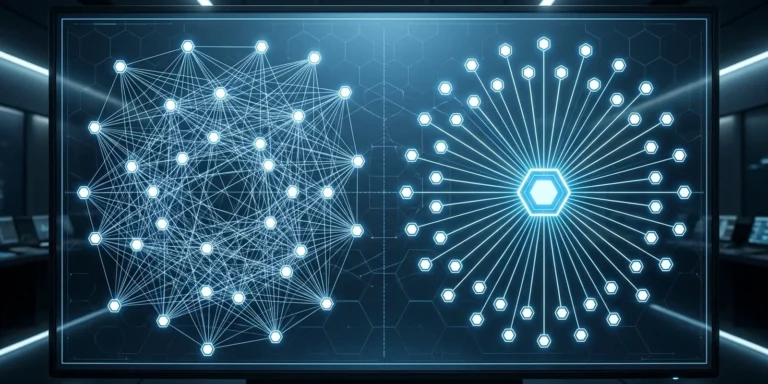
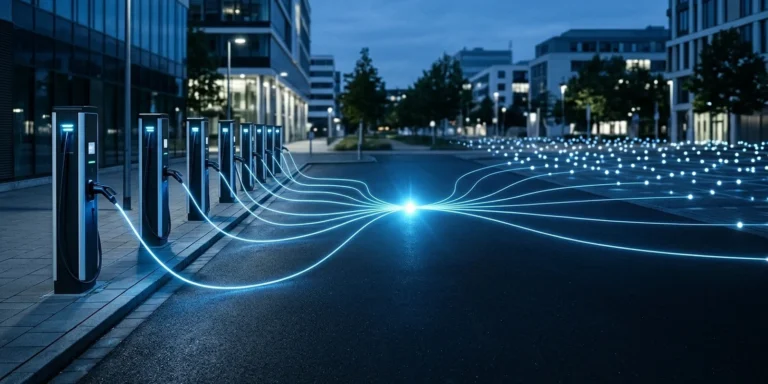
- Pushed directly, each status change goes to every receiver. Through a hub, one broadcast push reaches every connected party that implements Locations.
- Regulators now treat station data as infrastructure: the EU requires it on national access points, and India’s 2024 guidelines task BEE with a national database of public stations.
EV charging station data is what a driver sees before they ever reach your charger: the pin on a map, the connector type, the power, the price and whether the bay is free right now. If any of it is missing or wrong, the driver goes somewhere else, or arrives at a charger that cannot serve them and blames your network.
This post is for CPO business and product leads who want their chargers found. It follows the data from your back office to the apps that display it, compares pushing it to every consumer with publishing once through a hub, and ends with a checklist.
What EV charging station data contains
In roaming, station data travels in the OCPI 2.2.1 Locations module. The CPO is the data owner. Everyone else, from an eMSP app to a navigation provider, receives a copy. The structure has three levels:
- Location: the place a driver navigates to: address, coordinates, time zone, opening times, parking type and operator.
- EVSE: the unit that powers one vehicle at a time: live status, capabilities (RFID, remote start, payment terminal), floor level and the reference printed on the unit.
- Connector: the socket or cable: plug standard, format, AC or DC, maximum voltage, amperage and power, and the tariffs that apply.
| Field | Level | What the driver or app does with it |
|---|---|---|
coordinates | Location | Places the pin. A pin 300 m off on a highway sends the driver to the wrong exit. |
publish | Location | If false, the location must not be shown publicly. Only owners of tokens listed in publish_allowed_to may see it. |
status | EVSE | Available, charging or broken. The single field most apps filter on. |
standard, power_type, max_electric_power | Connector | Filters out chargers the vehicle cannot use, and estimates charging time. |
tariff_ids | Connector | Links to the Tariffs module so the app can show a price before the session starts. |
Selected fields from the OCPI 2.2.1 Locations module. Every object also carries a mandatory last_updated timestamp.
Static vs dynamic data: why status costs sessions
Station data splits into two kinds that age very differently.
Static data
Address, coordinates, connector standard, rated power, opening hours. It changes when you install, rewire or relocate equipment, perhaps a few times a year per site. Errors here are permanent until someone fixes them, so they quietly cost sessions for months.
Dynamic data
Mostly the EVSE status, which can change every time a car plugs in or leaves. OCPI 2.2.1 defines nine values:
| Status | Meaning for the driver |
|---|---|
AVAILABLE | Can start a new session now |
CHARGING | In use |
BLOCKED | Physically blocked, for example by a parked car |
RESERVED | Held for another driver |
INOPERATIVE | Not yet active or temporarily unavailable, but not broken |
OUTOFORDER | Broken |
PLANNED | Will open soon |
REMOVED | Discontinued |
UNKNOWN | No information, also used when the charger is offline |
EVSE Status enum, OCPI 2.2.1 Locations module.
Stale status costs sessions both ways. A charger shown AVAILABLE that is really OUTOFORDER wastes a driver’s trip and earns the app a bad review. One stuck on CHARGING after the car has left turns drivers away from a free bay. Either way the session, and the roaming revenue behind it, is lost.
The spec’s own advice is to push changes rather than wait to be polled: the Sender interface (a paginated GET) is meant for the first full sync and for occasional reconciliation, while day-to-day updates go out as PUT and PATCH calls, with status updates described as the most common message type.
Who consumes EV charging station data
OCPI anticipates several kinds of receiver. Its role list includes the eMSP, a Navigation Service Provider (NSP, “probably only interested in Location information”), and a National Access Point (NAP, a national database of all location information in a country), alongside the hub role.
| Consumer | What they do with your EV charging station data | What they need from you |
|---|---|---|
| eMSP apps | Show your chargers to their drivers, start sessions, show prices | Full Locations plus Tariffs, live status, remote-start capability |
| Navigation and in-car maps (NSP) | Route planning, charging stops, arrival-time estimates | Accurate coordinates, connector standard and power, live status |
| Data aggregators | Combine data from thousands of operators and resell it to navigation firms and automakers | A clean, consistent feed they can map to their own model |
| National access points | Publish public station data under regulation | The fields the regulator mandates, in the format it mandates |
Consumers of station data and what each needs. Roles from the OCPI 2.2.1 Credentials module.
Aggregators are the least visible link and often the widest. Eco-Movement, for example, collects charge point location and pricing data from CPO and eMSP connections; in 2023 it partnered with HERE Technologies so that HERE’s navigation products and the automakers using them could show fresher charger data. A CPO that feeds an aggregator well can reach in-car screens it never integrated with directly.
Regulators are turning this into an obligation. In the EU, AFIR (Regulation 2023/1804) Article 20 requires operators of publicly accessible charging points to make static and dynamic data available free of charge through national access points, an obligation that has applied since April 2025 according to Germany’s national charging infrastructure agency. In India, the Ministry of Power’s September 2024 charging guidelines task the Bureau of Energy Efficiency with a national database of public charging stations, with open APIs for third-party developers limited to non-confidential information. The scale is real: the government reported 52,718 operational public charging stations in a Lok Sabha reply in July 2026.
Push to each consumer, or publish once through a hub
There are two ways to get your Locations to all of those consumers.
Direct: one feed per receiver
With bilateral links, you push every new Location and every status change to each receiver separately, and each receiver can also pull your full list. The work scales with the number of receivers, which is the same arithmetic we ran for the whole connection in OCPI bilateral connections versus a hub.
Through a hub: broadcast push
OCPI 2.2.1 defines Broadcast Push for exactly this case. The CPO addresses the hub itself in the OCPI-to- headers, and the hub forwards the data to every connected party that implements the Locations module, eMSPs and NSPs included. The spec names Locations and Tokens as the data this is meant for, and rules it out for Sessions and CDRs, which belong to one party only.
A simple model shows why this matters for dynamic data. These inputs are illustrative assumptions, not measured figures; swap in your own.
| Direct to 12 receivers | One hub connection | |
|---|---|---|
| EVSEs on the network | 500 | 500 |
| Status changes per EVSE per day (assumed) | 20 | 20 |
| Status events per day | 10,000 | 10,000 |
| Messages your platform sends per day | 10,000 × 12 = 120,000 | 10,000 |
| Feeds to monitor for failures | 12 | 1 |
Derived from the assumed inputs. Message counts exclude retries and the initial full sync.
The bigger saving is the failure surface. When one of twelve direct receivers stops accepting updates, its copy of your network goes stale silently, and you hear about it from a driver. With one connection there is one place to watch.
India and outside India: same data, different money
The Locations data a CPO publishes looks the same everywhere. What differs by market is what happens after a driver finds the charger and charges.
- India. YoHub carries OCPI 2.2.1 + UBC (Beckn) through one connection, and settles through the hub: it invoices the eMSP with GST and pays the CPO. From the eMSP side, 14,000+ charging stations are reachable in India. Details are on the EV roaming in India page, and the money flow is walked through in EV roaming settlement.
- Outside India. Roaming is peer to peer: the CPO and eMSP settle directly with each other, and the hub reconciles energy and amounts without holding funds. On the MENA hub, Eco-Movement is connected as a party, so station data published there can reach that aggregator through the same connection. See the UAE roaming page.
Across all regional hubs, YoHub makes 75,000+ charging stations reachable, with 70+ CPO networks and 40+ eMSPs connected as of October 2026.
The data errors that cost sessions
Most station data problems are not exotic. These are the ones that show up again and again when Locations feeds are checked against what drivers find on site:
| Error | What the driver sees | Fix |
|---|---|---|
| Coordinates of the building, not the bays | Pin in the wrong car park or on the wrong side of a highway | Geocode the chargers themselves; use EVSE-level coordinates and directions for large sites |
| Connector standard or power wrong | Car arrives, plug does not fit, or charges at a third of the expected speed | Generate Connector data from the commissioned hardware record, not from a sales sheet |
max_electric_power missing on power-limited DC units | App computes power from voltage × amperage and overstates it | Set it whenever the real limit is lower than V × A |
| Status stuck after the charger goes offline | Shown as available, actually dead | Send UNKNOWN when the charger loses its backend connection, and alert on long-lived UNKNOWN |
EVSE deleted instead of REMOVED | Ghost charger stays on some maps, or old sessions break | Always retire with status: REMOVED |
Missing or outdated tariff_ids | No price shown, or a price that does not match the bill | Keep tariff links current; price mismatches surface later in CDR reconciliation |
Private or fleet-only site sent with publish: true | Public drivers turn up at a gated depot | Set publish: false; the spec says private charge points should not be sent at all |
Common EV charging station data errors and fixes. Field names from the OCPI 2.2.1 Locations module.
Restricted visibility deserves one line here: publish_allowed_to works by matching a driver’s token, and how tokens are shared and authorised across networks is a topic of its own.
A station data checklist for CPOs
Use this before you connect to a hub or a new receiver, and again every quarter:
- Every public Location has charger-level coordinates, a full address, an IANA time zone and opening times.
- Every EVSE has a platform-generated
uidthat is never reused (not a hardware serial), an eMI3-formatevse_idand aphysical_referencematching the sticker on the unit. - Every Connector’s standard, format, power type, voltage, amperage and real maximum power match the commissioned hardware.
- Status changes are pushed within seconds, an offline charger becomes
UNKNOWN, and retired equipment is sent asREMOVED, never deleted. - Private, depot and fleet-only sites use
publish: falseor are not sent at all. - Every Connector points at a current tariff, so apps can show a price before the session.
- Once a month, pull your own data back from at least one receiver and compare it with your source.
The integration side, including the Locations endpoints and how the hub routes them, is documented on the OCPI 2.2.1 developer page. If you run chargers and want them visible to every app on the hub, the OCPI roaming page for CPOs explains how onboarding works.
Frequently Asked Questions
What is EV charging station data?
It is the information that describes a charger to apps and maps: location and address, opening times, each EVSE and its live status, and each connector’s plug standard, power and tariff. In roaming it is exchanged through the OCPI Locations module, which the CPO owns.
How do I get my charging stations onto maps and navigation apps?
Publish your Locations over OCPI to the parties drivers use: eMSP apps, navigation service providers and data aggregators that feed automakers and map providers. You can connect to each one directly, or connect once to a hub that broadcasts your Locations to every connected party.
What is the difference between static and dynamic charging station data?
Static data (address, connector type, rated power) changes rarely. Dynamic data is mainly the EVSE status, which changes whenever a car plugs in or leaves. OCPI 2.2.1 defines nine status values.
How do you remove a charger from OCPI Locations?
You don’t delete it. OCPI 2.2.1 requires the CPO to set the EVSE status to REMOVED and push the update, because sessions and CDRs that reference the EVSE must keep working. A Location with no valid EVSE is treated as expired.
Does a roaming hub send my Locations to every party on it?
With OCPI Broadcast Push, the CPO sends Locations once and the hub forwards them to every connected party that implements the Locations module, including eMSPs and navigation service providers.
Sources: OCPI 2.2.1 Locations module | OCPI 2.2.1 Transport and format (Broadcast Push) | OCPI 2.2.1 Credentials module (roles) | Regulation (EU) 2023/1804 (AFIR) | Nationale Leitstelle Ladeinfrastruktur, AFIR | Mercom India, MoP EV charging guidelines (Sept 2024) | HERE Technologies and Eco-Movement partnership (Sept 2023) | IANS via Morung Express, 52,718 public charging stations (July 2026)